

Power BI and SSRS Reports Access
To request access to our Power BI and SSRS reports, submit a Reporting Data Access Request Service Now ticket.
Select “Analytics Group (viewer)” for the Data Area Type.

Select “Analytics Group | Knowledge Enterprise Analytics (viewer)” for the Data Area Name.
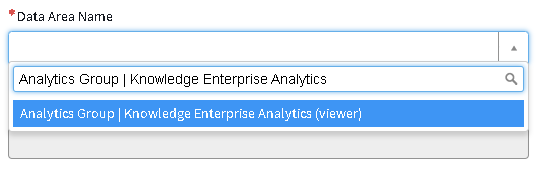
You will also need to provide a reason for needing access (any reason should suffice).

We will approve your request as soon as we receive it.